
- Página Inicial
- Tasks and projects
-
Zendesk Integration
Zendesk Integration
Zendesk integration. Service that’s up close and personal
Instalar
Grátis
Compras no aplicativo
-
AvaliaçãoSem avaliações
-
Instalações2644
-
DesenvolvedorBitrix24 Integrations
Descrição
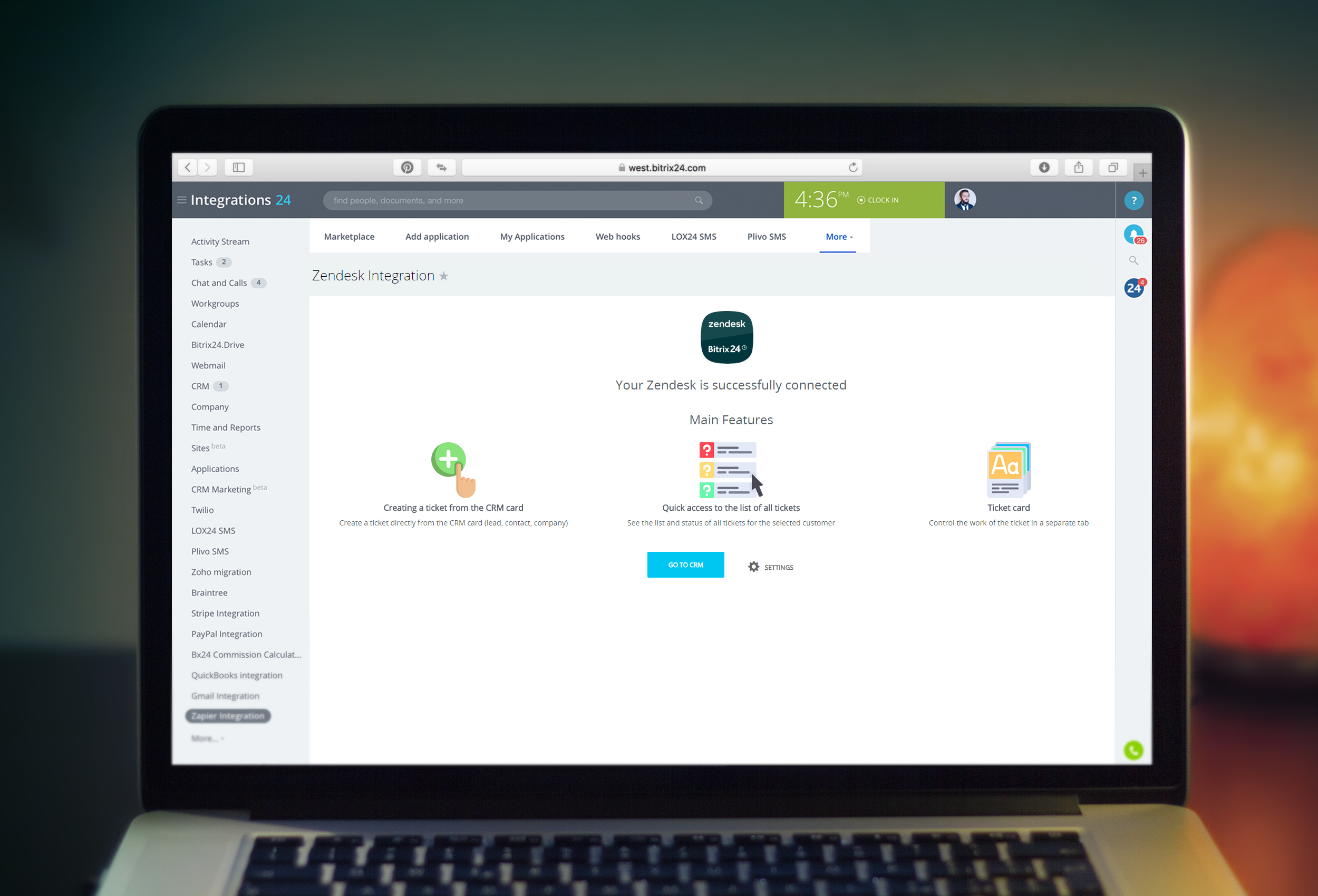
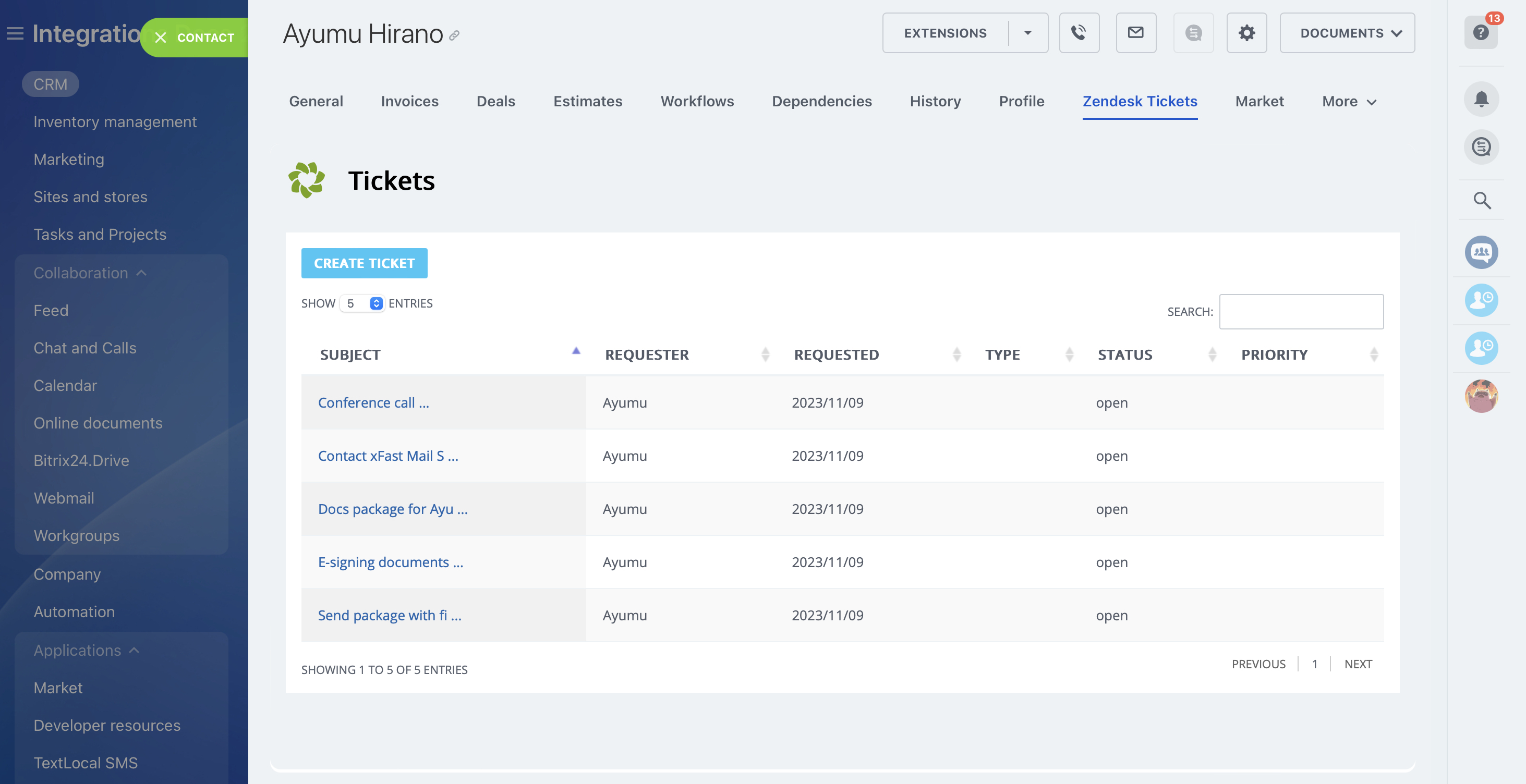
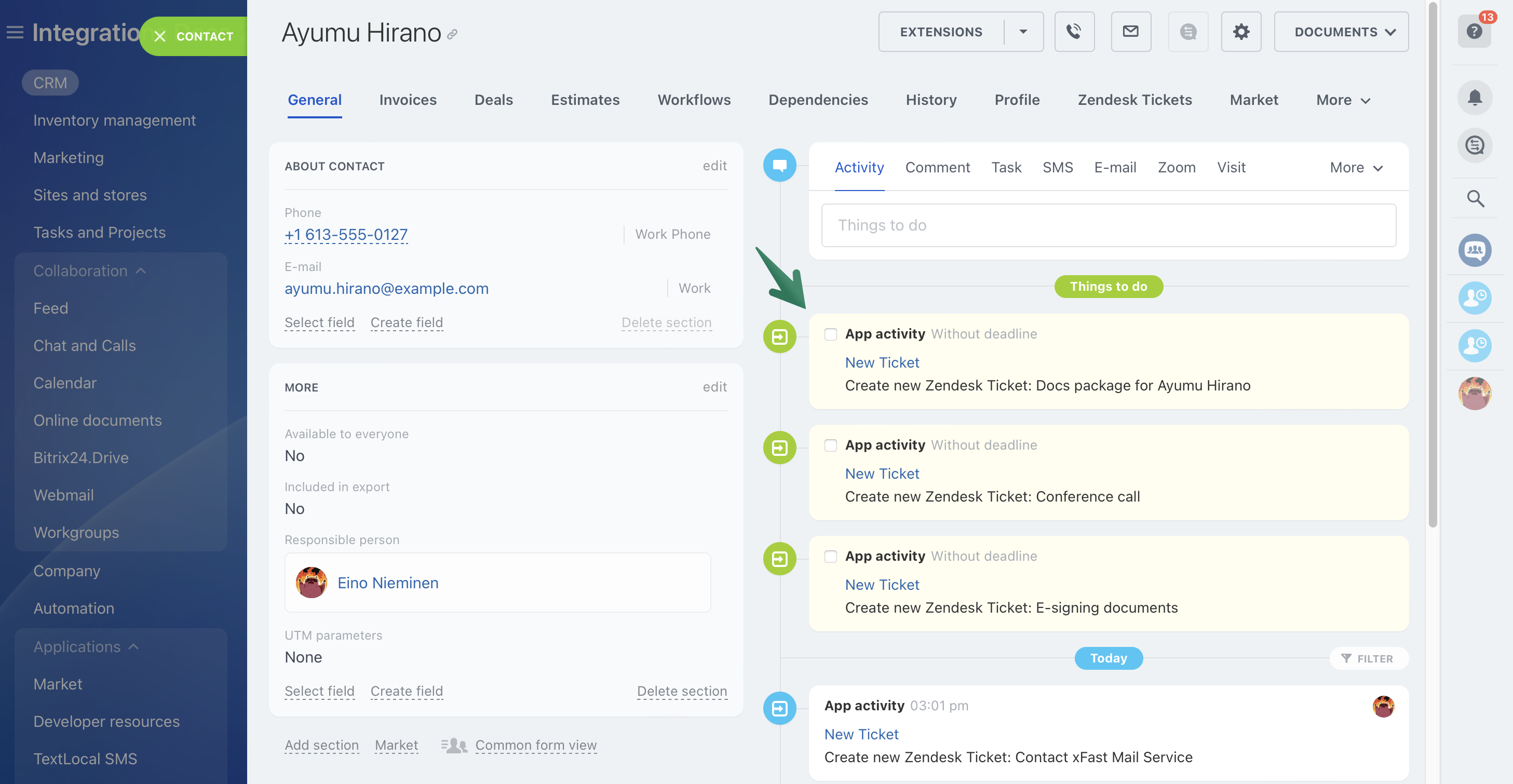
Gain complete control of your Zendesk tickets right in Bitrix24 interface!
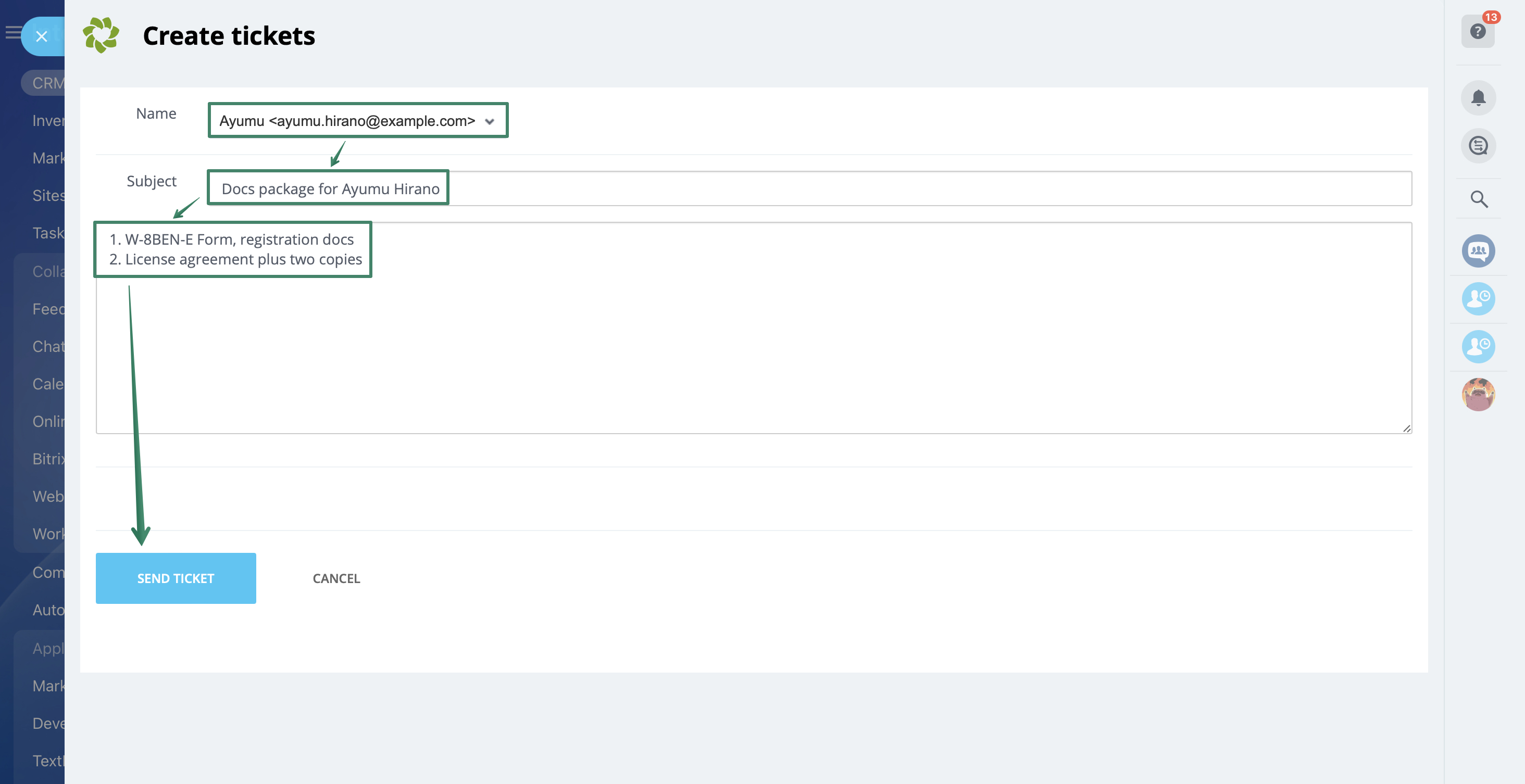
View ticket details and create new ones, all while keeping the powerful Bitrix24 tools right at hand.
Learn more about the app in our Helpdesk article.
The app works with Bitrix24 commercial plans only.
There is an opportunity to try the application for free during the demo period.
View ticket details and create new ones, all while keeping the powerful Bitrix24 tools right at hand.
Learn more about the app in our Helpdesk article.
The app works with Bitrix24 commercial plans only.
There is an opportunity to try the application for free during the demo period.
Suporte técnico
If you are facing an issue or would like to receive some more information about the app, kindly contact Bitrix24 support.
Our dedicated Integrations support team will be delighted to assist you and provide guidance on any inquiries you may have regarding the app.
Additionally, we highly recommend following the steps outlined in this article to troubleshoot common issues in the event that the app is not functioning or connecting as expected.
Instruções de instalação
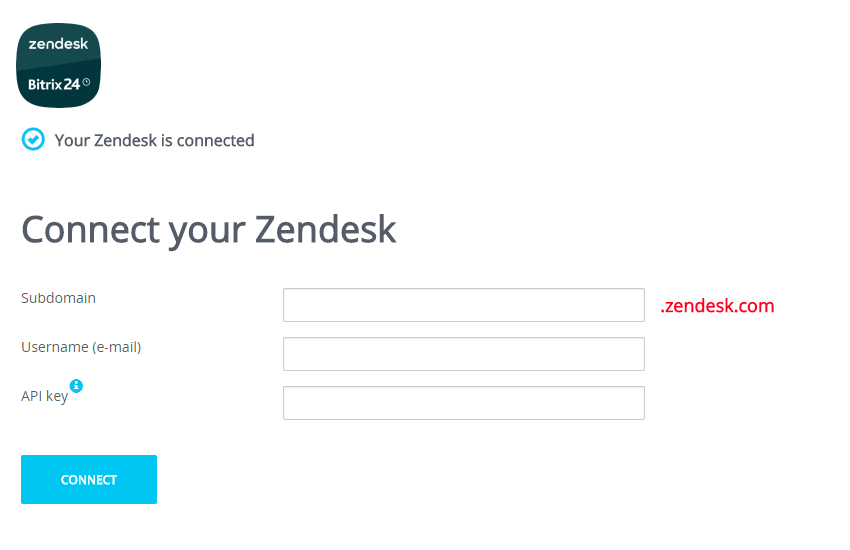
When at the settings page, input your Zendesk account data:
If required, you can connect another Zendesk account to Bitrix24 at the application settings page (“Settings” button).
Obtain API token:
1. Go to the "Admin Center".
2. Go to "Apps and integrations".
3. Go to "Zendesk API".
4. Click the "Settings" tab
5. Make sure that the "Token access" switch is on
6. Click the "Add API token" button
7. Copy and save your token
- Subdomain
- Login email
- API token
If required, you can connect another Zendesk account to Bitrix24 at the application settings page (“Settings” button).
Obtain API token:
1. Go to the "Admin Center".
2. Go to "Apps and integrations".
3. Go to "Zendesk API".
4. Click the "Settings" tab
5. Make sure that the "Token access" switch is on
6. Click the "Add API token" button
7. Copy and save your token
Segurança de dados
Zendesk Integration
O aplicativo solicita permissões para acessar os dados:
CRM
acesso total: visualizar, criar, editar e excluir leads, contatos, empresas, negócios, faturas, orçamentos, atividades, campos do usuário etc.
Usuários (mínimo)
ler lista de usuários e nomes sem informações de contato
Estrutura da empresa
acesso total: visualizar, criar, editar e excluir departamentos
Aplicativo incorporado
acesso total: visualizar, criar, editar e excluir widgets
Bate-papo e notificações
acesso total: visualizar, criar, editar e excluir bate-papos e mensagens; conectar usuários ao bate-papo; editar bate-papos; ler todas as mensagens do bate-papo
Avaliação
0 /5
5 estrelas
0
4 estrelas
0
3 estrelas
0
2 estrelas
0
1 estrela
0
Comentários
Sem comentários!